Product Information
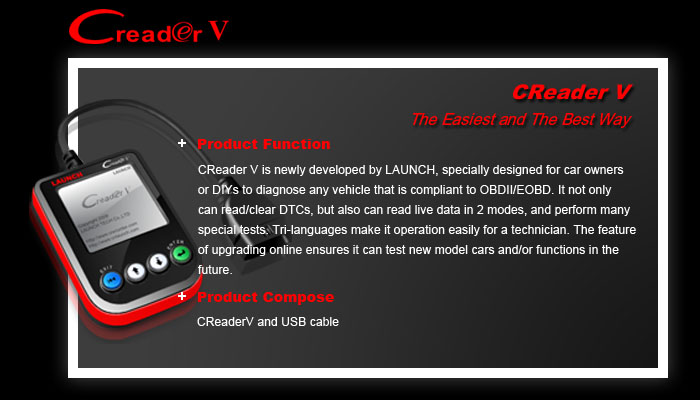
CReaderV developed by LAUNCH
CReaderV is newly developed by LAUNCH, specially designed for car
owners or DIYs to diagnose any vehicle that is compliant to OBDII/EOBD.
It not only can read/clear DTCs, but also can read live data in 2 modes,
and perform many special tests. Tri-languages make it operation easily
for a technician. The feature of upgrading online ensures it can test new
model cars and/or functions in the future.
Continuous Monitors -- Some of the vehicle components or systems
Are continuously tested by the vehicle’s OBD II system, while others are
Tested only under specific vehicle operating conditions. The continuously
Monitored components listed below are always ready:
1)Misfire
2)Fuel System
3)Comprehensive Components (CCM)
Once the vehicle is running, the OBD II system is continuously checking
the above components, monitoring key engine sensors, watching for
engine misfire, and monitoring fuel demands.
Non-Continuous Monitors -- Unlike the continuous monitors, many
Emissions and engine system components require the vehicle to be
Operated under specific conditions before the monitor is ready. These
Monitors are termed non-continuous monitors and are listed below:
1) EGR System
2) O2 Sensors
3) Catalyst
4) Evaporative System
5) O2 Sensor Heater
6) Secondary air Injection
7) Heated Catalyst
8) A/C system
Outline of CReaderV
① Cable with OBD II CONNECTOR -- Connects the CReaderV to the
Vehicle’s Data Link Connector (DLC).
② LCD DISPLAY -- Indicates test results.
③ EXIT BUTTON -- Returns to previous menu.
④ UP/DOWN Button’s – Move cursor up or down for selection; or turn
page up or down when more one page displayed
⑤ ENTER BUTTON--Confirms a selection (or action) from a menu list
⑥ USB PORT -- Connects to computer to update the CReaderV online
Specifications
1) Display: Backlit, 160 x 160 pixels
2) Operating Temperature: 0 to 60°C (32 to 140 F°)
3) Storage Temperature: -20 to 70°C (-4 to 158 F°)
4) Power: 8 to 18 Volts provided via DLC
5) Unit Dimensions: 126 mm×88 mm×22 mm(Length×Width×
Thickness)
6) Test Cable length:0.9m
Supported Protocols :
OBDII: ISO9141
SAE J1850VPW
SAE J1850 PWM
EOBD: ISO14230 KPW
CANBUS: ISO15765
Accessories Included
1) User’s Manual -- Instructions on tool operations
2)USB cable--Connect to a computer for upgrading online
Power supply
The power of the CReaderV is provided via the vehicle Data Link
Connector (DLC). Follow the steps below to power it up:
1) Find DLC on vehicle
A plastic DLC cover may be found for some vehicles and you
need to remove it before plugging the OBD2 cable.
2) Plug the connector at the end of OBD II cable to the vehicle’s DLC.